Razer BlackWidow V4 Pro 75 vs Keychron Q1 HE: Honest Test
This article contains affiliate links. If you buy through them, I earn a small commission at no extra cost to you. I only recommend keyboards I’ve actually tested. As an Amazon Associate I earn from qualifying purchases.
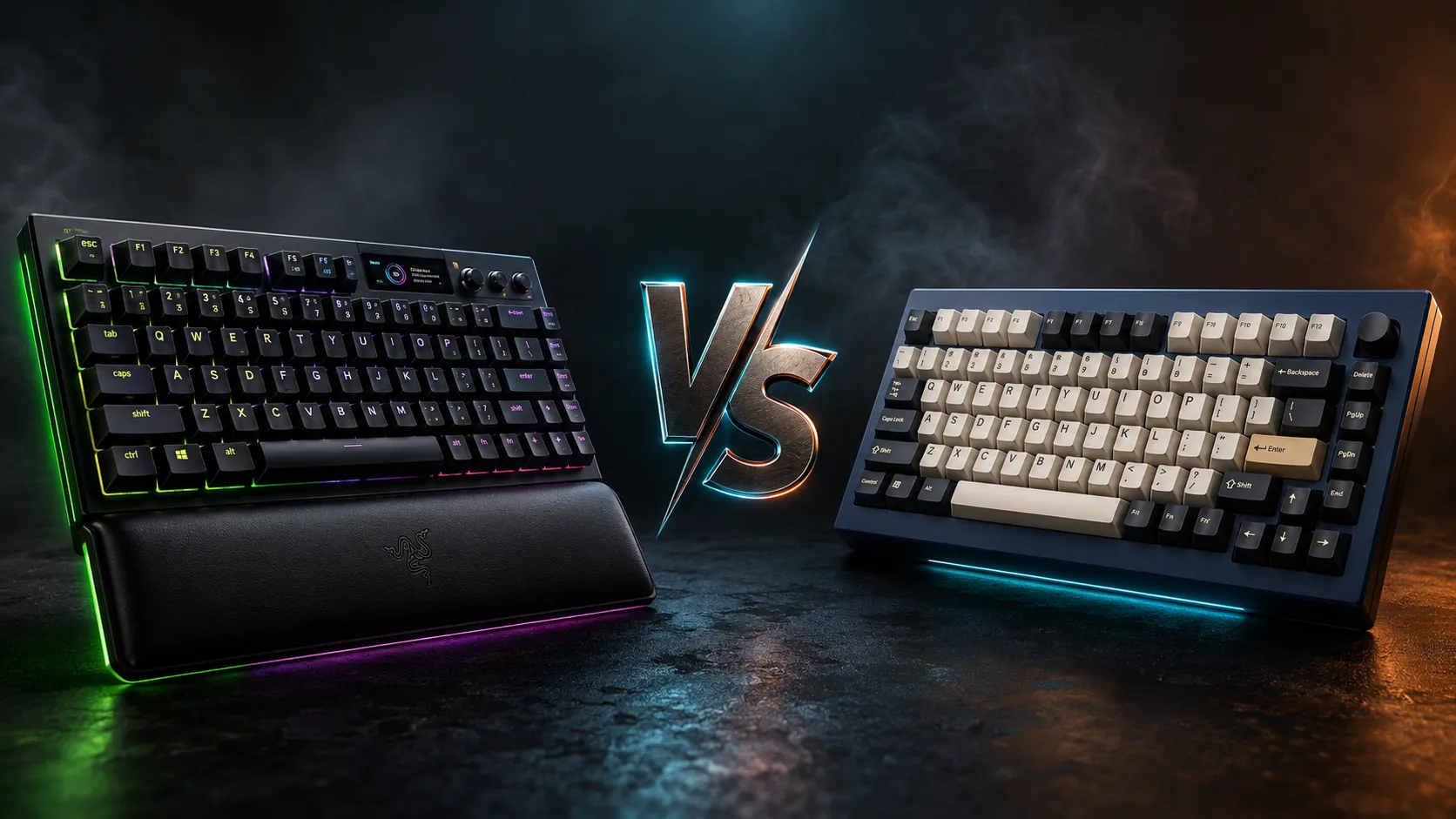
Two boards, two completely different philosophies. The Razer BlackWidow V4 Pro 75% Wireless is what happens when a mainstream gaming brand finally gets serious about the enthusiast crowd. The Keychron Q1 HE is what happens when modders ask for a magnetic-switch board with rapid trigger and refuse to compromise on the case. I’ve spent enough time with both to tell you they’re not really competing for the same buyer — but most people reading a Razer BlackWidow V4 Pro 75 vs Keychron Q1 HE breakdown haven’t figured out which camp they’re in yet.
So let’s fix that.
I’ll skip the spec-sheet recital you can pull off any product page and focus on what these things actually feel like to type and game on, where they cut corners, and which one I’d hand to a friend depending on what they do at their desk.
TL;DR — Razer BlackWidow V4 Pro 75 vs Keychron Q1 HE at a Glance
If you’re here to skim and click, here’s the quick read. Pick your row, click your board.
| Your priority | Better choice | Why it wins |
|---|---|---|
| Competitive FPS (CS2, Valorant, Apex) | Keychron Q1 HE — Check price | Magnetic switches + rapid trigger + adjustable actuation |
| Lowest input lag on wireless | Razer BlackWidow V4 Pro 75% — Check price | True 4K Hz wireless polling, almost unheard of |
| Daily typing + long work sessions | Keychron Q1 HE — Check price | Heavier build, better stock sound, gasket mount |
| Premium plug-and-play out of box | Razer BlackWidow V4 Pro 75% — Check price | OLED, Command Dial, wrist rest, Chroma RGB included |
| Modding, lubing, custom keycaps | Keychron Q1 HE — Check price | Standard layout, QMK/VIA, easy to tear down |
| Mac users | Keychron Q1 HE — Check price | Mac toggle, proper Cmd/Option keycaps in box |
| RGB-heavy battlestation | Razer BlackWidow V4 Pro 75% — Check price | Chroma is still the cleanest RGB ecosystem |
Both boards land in the $220–$310 range depending on switch choice and sales. Neither is bad. They just answer different questions.
Build Quality and Feel in the Hand
Pick both up and you’ll feel the gap immediately. The Q1 HE is a CNC aluminum tank — roughly 1.7 kg of dense, cold metal that doesn’t slide when you slam a key. The BlackWidow V4 Pro 75% is aluminum on top with plastic underneath, and while it feels premium, it’s not in the same weight class. That’s not necessarily bad. The Razer is easier to shift around your desk or throw in a backpack.
The Q1 HE uses a gasket mount that gives a slight, controlled flex when you type — that soft cushioned feedback the enthusiast community calls “marshmallow-y.” The Razer is firmer. More direct. If you’ve typed on standard prebuilts your whole life, it’ll feel familiar. If you’ve spent time on a Glorious GMMK Pro or any boutique gasket board, the Keychron will feel like home.
Both ship with PBT keycaps. The Razer’s are double-shot with shine-through legends so the Chroma lighting punches through. The Keychron’s are dye-sub OEM-profile PBT, which I personally prefer for legend longevity — but you lose the backlit-legend party trick. Pick your poison.
The Switches: This Is the Real Difference
This is where the comparison stops being about looks and starts being about what you’re actually typing on.
The Razer BlackWidow V4 Pro 75% uses Razer’s Orange Tactile switches — traditional mechanical, MX-compatible, hot-swappable. They’re a refined tactile with a soft bump, factory-lubed reasonably well, and noticeably quieter than older Razer switches. If you’ve liked Razer’s Gen 3 stuff before, you’ll like these. The board is hot-swap, so if you don’t, drop in Gateron Yellows, Akko Cream Blues, whatever you want.
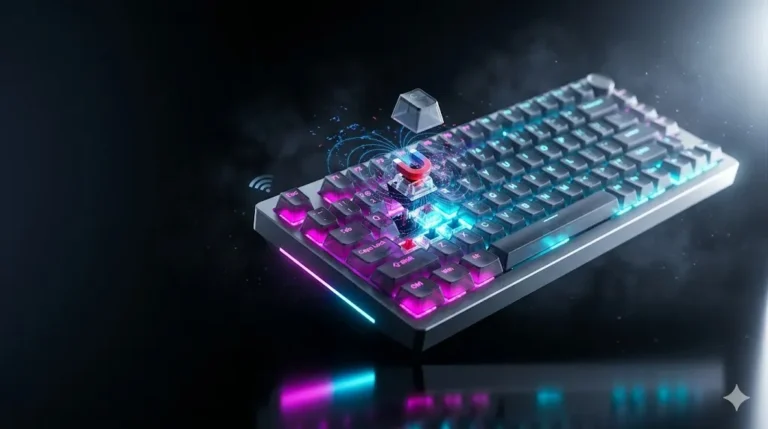
The Keychron Q1 HE uses Gateron Double-Rail Magnetic switches. These aren’t traditional mechanical — they’re Hall Effect, meaning the board reads magnet position continuously instead of triggering at one fixed point. That unlocks two things that genuinely matter:
- Adjustable actuation from roughly 0.1 mm to 4.0 mm. Set it shallow for twitchy FPS, set it deep for typing so you stop misfiring on key rests.
- Rapid Trigger. The key resets the moment you start lifting, not at a fixed reset point. For strafing in Counter-Strike 2 or Valorant, this is a real, measurable advantage. Not placebo. Actual frames saved.
Here’s the catch with the Q1 HE — those magnetic switches aren’t cross-compatible with regular MX switches. If you want to swap them out later, you’re shopping in the smaller magnetic-switch pool (Gateron Jade, Magnetic Yellow, and a handful of others). The Razer’s hot-swap is more flexible long-term, but the Keychron’s switches do something the Razer simply can’t. If you’re not sure how Hall Effect tech differs from a traditional MX switch, our Hall Effect keyboards explained guide is worth a read before you decide.
Wireless Performance and Latency
This is where the Razer flexes. The BlackWidow V4 Pro 75% Wireless runs true 4K Hz polling over its HyperSpeed dongle — a 0.25 ms theoretical interval. Most wireless keyboards still poll at 1000 Hz, including the Q1 HE on its 2.4 GHz dongle. For competitive gaming on wireless, the Razer is genuinely the front of the pack right now.
Will you feel the difference between 1000 Hz and 4000 Hz? Honestly, most people won’t. I ran the Razer at both polling rates as my daily driver for a couple of weeks, and the gap is real but subtle. If you’re a top-tier player on a 240+ Hz monitor with the reflexes to match, you might. If you’re plat in Valorant, you absolutely won’t, and you should probably stop blaming your hardware. For most of you eyeing our best wireless mechanical keyboards roundup, 1000 Hz wireless is already fantastic.
The Q1 HE does 2.4 GHz plus Bluetooth 5.2 multi-device. Battery is solid — Keychron quotes around 100 hours with RGB off, and that’s roughly what I get. The Razer’s battery is shorter at full RGB and 4K polling, more like 30–40 hours. Fair tradeoff for what it’s pushing.
Software, Features, and Customization
Razer Synapse vs QMK/VIA through Keychron Launcher. Two different worlds.
Razer Synapse is polished. Macros, Chroma sync with games, per-key RGB, deep profile management. It’s also bloated, runs in the background, and has been the subject of more than a few security complaints over the years. Some people don’t care. Some people care a lot.
Keychron Launcher is web-based VIA — runs in your browser, no install, no background process. Want to remap layers, build custom keymaps, set rapid trigger thresholds per-key? It’s all there. QMK is supported if you want to flash custom firmware. For tinkerers, this is night-and-day better.
What you get on the Razer that you don’t get on the Keychron:
- OLED display — small, on the top edge, shows battery, profile, song info. Slightly gimmicky, but I caught myself glancing at it daily.
- Command Dial — programmable rotary that’s actually useful for volume, Photoshop brush size, video scrubbing.
- Snap Tap — Razer’s version of SOCD null-binding. Press A then D and the last key wins instantly. Legality in your favorite competitive game varies — check your league’s ruleset before you tournament with it.
- Wrist rest in the box.
What you get on the Keychron that you don’t get on the Razer:
- Mac-first design with proper Cmd/Option keycaps included.
- South-facing LEDs that don’t interfere with Cherry-profile aftermarket keycaps.
- Easier disassembly for lubing stabs, swapping foam, going full custom.
Sound Out of the Box
The Q1 HE has the better stock sound. Period. Foam layers, gasket mount, double-shot PBT, and that heavy aluminum case give it the low-pitched “thock” the keyboard community keeps shouting about. The Razer is fine — quieter, slightly higher-pitched, a bit hollower on the spacebar. Not bad. Just not in the same league.
If you can’t stand spacebar rattle, both ship with decent stabilizers, but the Keychron’s are better tuned out of the box. The Razer’s space bar developed a faint ping after about a week with me. Five minutes of band-aid mod fixed it, but you shouldn’t have to do that on a $300 board. If you’re new to stab tuning, our stabilizer modding walkthrough covers the basics in plain English.
Gaming: Razer BlackWidow V4 Pro 75 vs Keychron Q1 HE Head-to-Head


If gaming’s the priority, here’s the honest breakdown:
- For pure FPS performance, the Q1 HE’s magnetic switches with rapid trigger are the real upgrade. Set 0.4 mm actuation on movement keys and 2.0 mm on shift/crouch so you stop accidentally triggering them. That kind of per-key tuning isn’t available on the Razer.
- For wireless competitive play where every millisecond matters, the Razer’s 4K Hz polling is best-in-class. Pair it with Snap Tap and you’ve got a board built for ranked grinding.
- For MOBAs, MMOs, and casual play, either board is overkill. Don’t overthink it. Buy whichever one looks better on your desk.
If you want to see how both stack up against the rest of the field, our best gaming keyboards under $300 roundup puts them in context.
Daily Typing and Long Sessions
This is where I lean Keychron. The heavier case, gasket mount, and quieter stock sound add up to a board you can type on for eight hours without your hands feeling beat up. The Razer is comfortable too, especially with the included wrist rest, but it’s firmer and a touch louder. If your job is writing or coding, the Q1 HE is the smarter daily driver.
One caveat — the Keychron is heavy enough that you’re not moving it around. Desk space matters. If you swap between rooms or take a keyboard on the road, the Razer’s the more practical pick.
Price and Value
The Razer BlackWidow V4 Pro 75% sits around $280–$310 depending on switch choice and sales. The Q1 HE typically runs $220–$240. That’s not a small gap — the difference buys you a nice set of aftermarket keycaps. For most enthusiasts, the Keychron is the better dollar-per-feature pick.
That said, the Razer’s 4K Hz wireless and OLED genuinely aren’t available at the Keychron’s price. You’re paying for tech that’s harder to find elsewhere.
The Verdict: Which Should You Actually Buy?
Buy the Keychron Q1 HE if you care about typing feel, magnetic switches, rapid trigger, custom firmware, or you’re going to mod the board anyway. It’s the modder’s pick. It’s also the FPS player’s pick if adjustable actuation matters to you — and once you’ve used it, it matters.
Buy the Razer BlackWidow V4 Pro 75% Wireless if you want true 4K Hz wireless, the OLED and Command Dial, Chroma RGB done right, and a premium prebuilt that doesn’t need a single tweak out of the box. It’s the polished-experience pick.
Honestly? For most readers, the Q1 HE is the smarter buy. You get more keyboard for less money, and Hall Effect is where high-end gaming gear is heading. But if you already have a wired daily driver and you want a no-compromise wireless gaming board, the Razer earns its price tag in a way it didn’t twelve months ago.
Either way, you’re not getting burned. These are two of the better 75% boards on the market right now — they just happen to be aimed at two different kinds of buyer.
This article contains affiliate links. If you buy through them, I earn a small commission at no extra cost to you. I only recommend keyboards I’ve actually tested. As an Amazon Associate I earn from qualifying purchases.

I’ve torn down, lubed, and rebuilt several hundred keyboards — from $20 membranes to $800 enthusiast boards. I review them honestly, even when “honestly” means telling you to skip the one with the bigger marketing budget.