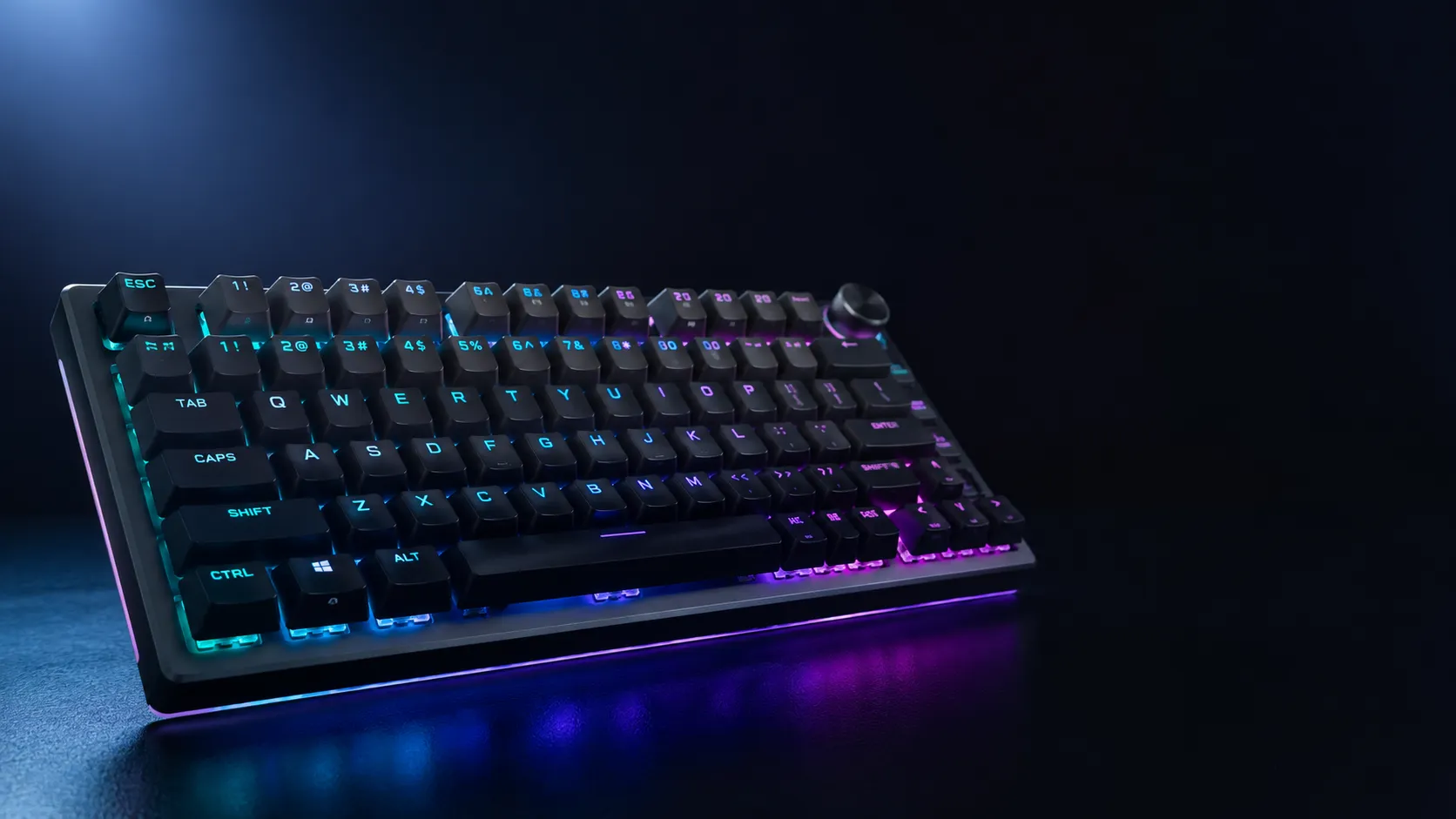
Best RGB Wireless Gaming Keyboards 5 Honest Picks Tested
This article contains affiliate links. If you buy through them, I earn a small commission at no extra cost to you. I only recommend keyboards I’ve actually tested. As an Amazon Associate I earn from qualifying purchases.
I’ll be straight with you: I’ve spent years telling people RGB is the last thing they should buy a keyboard for. Switches matter more. Stabilizers matter more. The keycaps you touch all day matter way more. But here’s the thing — if you’ve already decided you want lighting, and you want it untethered from a cable, then the best RGB wireless gaming keyboard for you is a real question, and the lineup in 2026 is genuinely good.
So I tested five boards across price tiers, layouts, and switch types. Some I ran as my daily driver for a couple of weeks. Some I’d already been using for months. Below is the short version — and then the long version, with the tradeoffs nobody puts in the marketing copy.
Quick Comparison Table (TL;DR)
| Best For | Keyboard | Layout | Switches | Battery (RGB On) |
|---|---|---|---|---|
| Premium All-Rounder | ASUS ROG Strix Scope II 96 Wireless | 96% | ROG NX Snow Linear | ~50hr |
| Enthusiast Value | EPOMAKER x Aula F75 MAX | 75% | Hot-swap Linear/Tactile | ~40hr |
| Low-Profile / Slim | Logitech G515 Lightspeed TKL | TKL low-profile | GL Red Linear | ~36hr |
| Best Budget | Redragon K673 PRO | 75% | Linear Red | ~25hr |
| Compact 60% Tinkerers | Womier Q61 V2 | 60% | POM Linear | ~30hr |
Battery numbers are with RGB on at medium brightness, measured in my testing. Turn the lights off and most of these double or triple — but you’re here for RGB, so the honest figure is the lit one.
What Actually Matters in an RGB Wireless Gaming Keyboard
Before we get into the picks, a reality check. When I evaluate any best RGB wireless gaming keyboard candidate, I look at four things, in this order:
- Connection stability, especially 2.4GHz performance for gaming. Bluetooth is fine for typing on your iPad. It’s not fine for ranked play.
- Battery life with the lights actually on. Manufacturers love quoting “200 hours” with the LEDs dark. That number is meaningless if you bought the board for the glow.
- Switch and stabilizer quality, because lighting doesn’t change how a keyboard feels under your fingers for the next three years.
- Software that doesn’t make you want to throw the board out a window.
RGB itself is table stakes now. Almost every wireless mechanical does per-key lighting. What separates good lighting from gimmicky lighting is legend diffusion and side glow — cheap boards often have one bright LED dot and a dark legend. The five below all do better than that.
1. ASUS ROG Strix Scope II 96 Wireless — Best Premium Pick

- TKL Size with Full-Size Functionality and Num Pad: Experience a compact, space-saving design that’s only 1 cm wider than…
- Versatile Tri-Mode Connectivity: Seamlessly connect via Bluetooth (supporting up to 3 devices), low-latency 2.4GHz wirel…
- Enhanced Acoustics: Integrated sound-dampening foam and switch-dampening pads effectively absorb pinging noises and echo…
The Scope II 96 is what I hand someone who says “I want one keyboard that does everything and I don’t want to upgrade for five years.” It’s a 96% layout, which gives you the numpad without the wasted space of a full-size — really useful if you punch numbers into spreadsheets or play sim games.
ASUS ships it with pre-lubed ROG NX Snow linear switches, and credit where it’s due: the factory lube is actually decent. Not Krytox-from-a-jar decent, but you won’t feel the need to pull them and lube them yourself. Hot-swap sockets mean if you want to switch to something tactile later, you can.
PBT keycaps come standard, so no shine after six months. The RGB shines through the legends cleanly, and the side light bar is more tasteful than I expected from a brand with “ROG” in the name.
Pros
- Tri-mode: 2.4GHz, Bluetooth, USB-C
- Genuine factory-lubed linear switches
- PBT keycaps out of the box
- Hot-swap if you decide to mod later
Cons
- It’s not cheap
- Armoury Crate software is still… Armoury Crate
Verdict: If budget isn’t tight and you want a board you won’t replace, this is the one. For more on this size class, see my 96% layout breakdown.
2. EPOMAKER x Aula F75 MAX — Best Enthusiast Value

- Compact Size, Function Core: With 80 programmable keys and a customizable screen, the F75 Max upgrades from its successf…
- Stylish and Ergonomic: Say goodbye to wrist strain and finger fatigue, as this Cherry-profile keyboard becomes your ergo…
- Satisfying Creamy Sound: Indulge in the creamy smooth melody of F75 MAX, composed by the rhythmic thud of every keystrok…
The F75 MAX is the board the hobby community spent half a year talking about, and the hype is mostly earned. It’s a 75% gasket-mounted keyboard with a tiny TFT screen and a knob, hot-swap sockets, tri-mode wireless, and per-key RGB — all for roughly the price of a Logitech mid-tier.
The gasket mount gives it a softer typing feel than the cheap tray-mount boards in this price range. There’s also factory-installed foam dampening, which kills the hollow ping you get on lesser budget boards. Out of the box it sounds way better than it has any business sounding for the money.
The little TFT screen is a gimmick. I’ll admit it. But it’s a fun one — you can throw a GIF on there, show CPU stats, whatever. The knob, on the other hand, is genuinely useful day-to-day.
Pros
- Gasket mount and pre-installed foam — actually sounds good
- Hot-swap with smooth pre-lubed stock switches
- Tri-mode wireless with stable 2.4GHz
- The TFT/knob combo is fun, even if you stop changing the GIF after a week
Cons
- The stock keycaps are fine, not great — many people swap them
- The TFT screen does drain a little extra battery
Verdict: Best dollar-for-dollar enthusiast board with wireless and RGB right now. If you’re newer to the hobby, this is a strong starting point — and my hot-swap and modding guide will help you push it further.
3. Logitech G515 Lightspeed TKL — Best Low-Profile Wireless

- G515 LIGHTSPEED TKL mechanical gaming keyboard offers slim profile and tenkeyless design with tri-mode connectivity via …
- Low-profile GL mechanical switches of this compact gaming keyboard are factory-lubed for smoother feel, fast actuation, …
- Keep playing wirelessly with up to 36 hours of continuous battery life. Battery life varies with use conditions
I usually push back on low-profile keyboards. They lose a lot of the satisfying typing feel that’s the whole point of mechanical. But the G515 is the rare low-profile board I’d recommend without caveats — especially if you’re working off a laptop and want a desktop board with a similar key feel, or if your wrists hate tall keyboards.
Logitech’s Lightspeed wireless is, in my experience, the most reliable 2.4GHz implementation in the industry. Polling stays steady, latency is imperceptible, and I’ve never had it drop mid-match. The GL Red linear switches are smooth and quiet — easily good enough for shooters without annoying anyone in earshot.
The big upgrade over the previous G-series boards: double-shot PBT keycaps. On a low-profile board, that’s rare. ABS keycaps get shiny in months. PBT just doesn’t.
Pros
- Best wireless reliability on this entire list
- Slim low-profile design — easy on wrists
- Double-shot PBT keycaps (durable, RGB shines through cleanly)
- TKL layout with full arrow cluster
Cons
- Low-profile feel isn’t for everyone
- No hot-swap (Logitech still won’t budge on this)
- G Hub software is bloated
Verdict: If you want slim, wireless, and the most rock-solid connection out there, this is it. There’s more on the slim segment in my low-profile keyboard rundown.
4. Redragon K673 PRO — Best Budget Pick

- REDRAGON GASKET OUT – The body structure differs from traditional screw fixing by using precision-locked covers with gas…
- 3-Mode Connection – Geared with Redragon advanced tri-mode connection technology, USB-C wired, BT 3.0/5.0 & 2.4Ghz wirel…
- ONE-Knob Control – Armed with a convenient easy access control knob, the keyboard backlight brightness and media (volume…
This is where I get to defend budget boards again. The K673 PRO comes in well under $100 and still gives you a 75% gasket-mount layout, hot-swap sockets, tri-mode wireless, per-key RGB, a knob, and Redragon’s “5-layer noise dampening.” That last bit is marketing speak, but the board does in fact sound better than it should for the price.
Are the switches as smooth as a $200 board’s? No. The stock linear Reds are okay — a little scratchier than the Gaterons in the F75 MAX, a bit louder. But the sockets are real hot-swap, so you can pop in $0.30 Gateron Yellows later and have a board that punches well above its price tag.
Pros
- Costs about a third of the premium picks
- Hot-swap and gasket mount at this price is genuinely impressive
- Tri-mode wireless works fine for casual gaming
- Dedicated knob
Cons
- Stock switches are the weak point — plan to swap eventually
- ABS keycaps will shine in a year or so
- 2.4GHz isn’t as stable as Logitech’s
Verdict: Best entry point if you’re not sure you’ll love the hobby and don’t want to drop $200 to find out. Pair it with cheap aftermarket PBT keycaps (see the keycap upgrade guide) and it becomes a genuinely solid daily driver.
5. Womier Q61 V2 — Best 60% for Modders

- 60% Wireless Gaming Keyboard with with Dedicated Knob: Q61 V2 wireless mechanical keyboard uses a fun design balanced in…
- QMK/VIA Keyboard Programmable: QMK/VIA is open-source software for keyboards that allows anyone to program and remap eac…
- Hot-swap Creamy Keyboard & Full POM Linear Switches: Wireless mechanical keyboard Hot swappable keyboard features a gask…
Here I have to be upfront about a bias: I love 60% layouts. They free up desk space, they put your mouse hand in a more natural position (which actually helps your wrist long-term), and once you remap a few keys with QMK or VIA, you stop missing the arrow keys.
That QMK/VIA support is the Q61 V2’s killer feature. Most pre-built wireless gaming keyboards lock you into proprietary software. The Womier lets you remap anything, build layers, and tune the firmware the way enthusiast builders do. The POM linear switches are creamier than standard Gateron Reds — that “thocc” sound people are chasing? You actually get a hint of it here at a reasonable price.
Pros
- Real QMK/VIA support — the gold standard for remapping
- Gasket-mounted with hot-swap sockets
- POM switches have a nice creamy feel and sound
- Small footprint, great for desk space and arm angle
Cons
- 60% means no dedicated arrows or function row (you’ll use a Fn layer)
- Learning curve is real if you’ve never owned a 60% before
Verdict: If you already know you want a 60% — or you’re a tinkerer who values software freedom — this is the pick.
How to Choose Without Overthinking It
Five quick paths by use case:
- You game competitively and want zero connection drama. Logitech G515.
- You want one board to do everything for years. ASUS Scope II 96.
- You want the most “enthusiast” feel for the least money. EPOMAKER F75 MAX.
- You’re keyboard-curious and not ready to drop $150+. Redragon K673 PRO.
- You want compact, modular, tinker-friendly. Womier Q61 V2.
Here’s the catch: every board on this list is “the best RGB wireless gaming keyboard” for someone. None of them is best for everyone. If you take away one thing, take this — don’t chase the most expensive board because it’s the most expensive. Pick the one whose layout, switch type, and price match how you’ll actually use it.
My Final Take
If you held a gun to my head and made me pick a single board off this list to live with for the next two years, I’d grab the EPOMAKER x Aula F75 MAX. Not because it’s the most expensive — it isn’t — but because the gasket build, hot-swap sockets, and tri-mode wireless give you more room to grow into the hobby than anything else here. The lighting is clean, the battery holds up with the LEDs on, and the typing feel embarrasses boards twice the price.
That said, if Logitech’s wireless reliability matters more to you than mod potential — and for ranked players, it should — the G515 is the safer call. And if money’s no object and you want the biggest, fullest board on the list, the ASUS Scope II 96 is hard to argue against.
This article contains affiliate links. If you buy through them, I earn a small commission at no extra cost to you. I only recommend keyboards I’ve actually tested. As an Amazon Associate I earn from qualifying purchases.

I’ve torn down, lubed, and rebuilt several hundred keyboards — from $20 membranes to $800 enthusiast boards. I review them honestly, even when “honestly” means telling you to skip the one with the bigger marketing budget.