Best Full Size Wireless Gaming Keyboard With Numpad
This article contains affiliate links. If you buy through them, I earn a small commission at no extra cost to you. I only recommend keyboards I’ve actually tested. As an Amazon Associate I earn from qualifying purchases.
The keyboard internet has spent the last few years quietly trying to convince you that nobody needs a numpad anymore. If you live in spreadsheets, grind MMOs, do CAD, or just punch in a lot of numbers all day, that advice is plain wrong. The best full size wireless gaming keyboard for you isn’t a fancy 75% with a stacked number row — it’s a board that gives you the numpad, the F-row, and a wireless link that doesn’t crap out mid-raid.
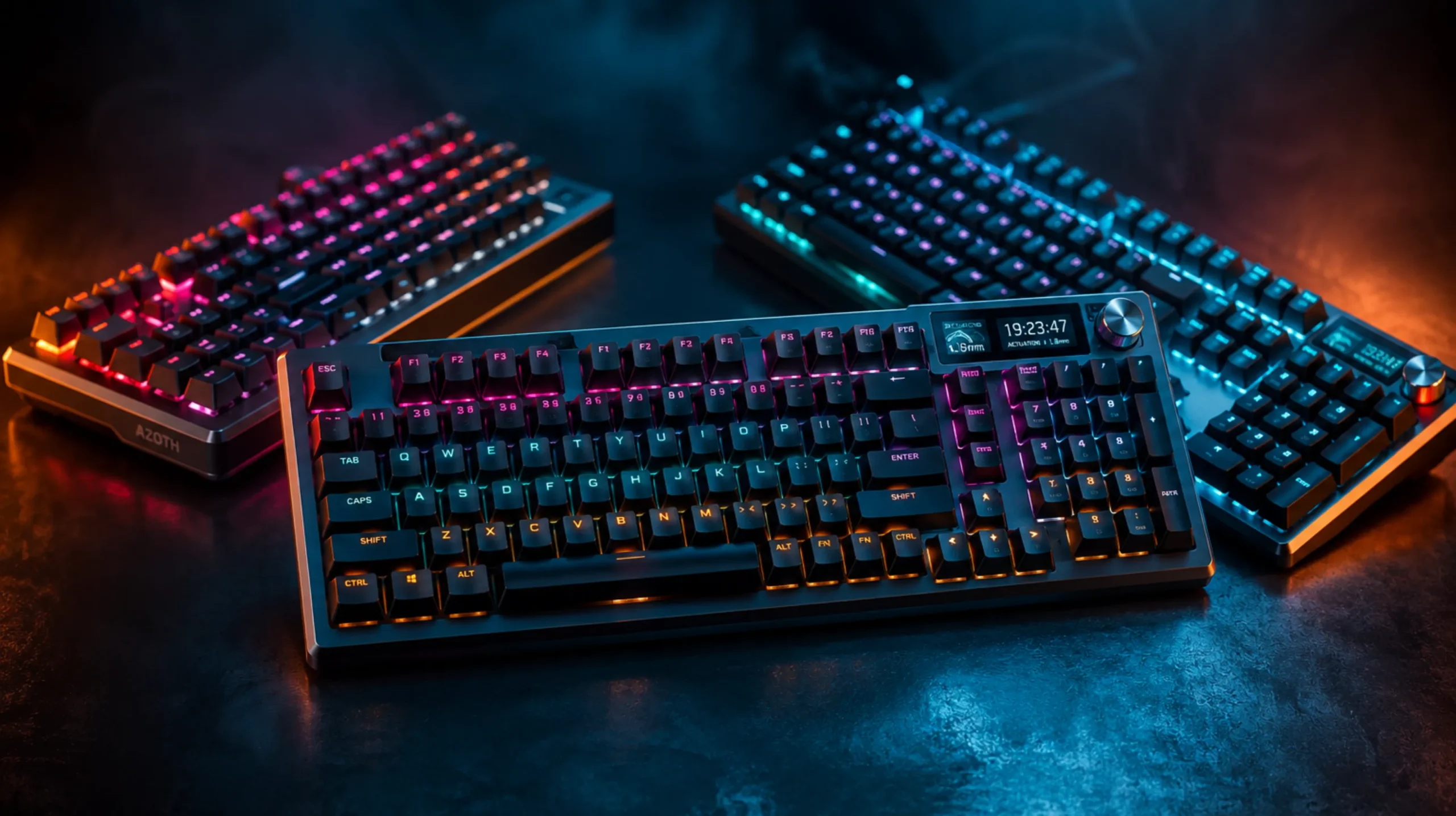
There’s a catch, though. Full-size boards are heavier, hungrier on battery, and harder to pull off well wirelessly. I’ve spent the last few months bouncing between three boards getting real attention right now: the AULA F108 PRO, the ASUS ROG Strix Scope II 96, and the EPOMAKER TH108 V2 PRO. All three are hot-swap. All three ship with PBT keycaps. All three target people who want gaming specs and the numpad. Here’s how they actually feel to type and game on — not what the marketing pages say.
Quick Comparison: The Full-Size Wireless Picks Worth Your Money
If you’ve got 30 seconds, here’s the cheat sheet.
| Best For | Keyboard | Switches | Battery | Why It Wins | |
|---|---|---|---|---|---|
| 🏆 Best Overall Value | AULA F108 PRO | Pre-lubed linear (hot-swap) | 8,000 mAh | Screen, knob, PBT, hot-swap — at a price that doesn’t sting | Check Price → |
| 🎮 Best Premium Gaming | ASUS ROG Strix Scope II 96 | ROG NX Snow linear (pre-lubed) | Tri-mode (2.4G/BT/USB) | Real gaming pedigree, low-latency 2.4GHz, name-brand support | Check Price → |
| 💻 Best for Mac & Heavy Typing | EPOMAKER TH108 V2 PRO | Pre-lubed linear (hot-swap) | 10,000 mAh | Gasket mount, Mac modifiers, biggest battery in the lineup | Check Price → |
One honest note before you scroll: the ROG Strix Scope II 96 is a 96% layout, not a true 100% full-size. You still get every numpad key — they’re just packed tight against the arrows. If you want the dedicated F-row spacing of a classic full-size, the AULA and EPOMAKER are cleaner picks.
Why Full-Size Wireless Is Trickier Than It Looks
A wireless 60% is easy. Smaller PCB, fewer LEDs, lower weight, longer battery. Once you bolt on a numpad and an F-row, every one of those advantages tightens up.
Three things matter more than usual on a full-size wireless build:
- 2.4GHz is non-negotiable for gaming. Bluetooth is fine for emails. It’s not fine for ranked Apex. If a wireless board doesn’t ship with a 2.4GHz dongle, it isn’t really a gaming keyboard.
- Battery life with RGB on is what you actually get. Manufacturers love quoting battery life with the lights off. Cute. You will run the lights on. Halve their number and you’re closer to reality.
- Weight and stability. A full-size board can clear 2.5 pounds. Great for keeping it planted on the desk. Terrible if you ever travel with it. Decide which one you care about before you buy.
If you want to go deeper on the wireless side of things in general, I broke down how the best wireless gaming boards stack up in this guide. Worth a read if you’re still weighing wireless against a wired setup.
AULA F108 PRO — The Best Value Full Size Wireless Gaming Keyboard

- Smart Display Screen & Multi-function Knob: AULA F108 Pro wireless mechanical keyboard has built-in intelligent TFT colo…
- Tri-mode Connection Mechanical Keyboard: The AULA F108 Pro gaming keyboard supports BT5.0, 2.4GHz wireless and USB-C wir…
- Hot-swappable Custom Keyboard: The F108 Pro wireless gaming keyboard comes with a hot-swappable base that is compatible …
The AULA F108 PRO is the board I’d point most people toward first. It has no business being this loaded for the price.
You get a true full-size layout with side-printed PBT keycaps, an 8,000 mAh battery, a customizable little screen above the numpad, a control knob, hot-swap sockets, and pre-lubed switches out of the box. RGB is per-key, the case has internal foam, and the stabilizers are surprisingly clean for a board in this tier.
What I actually liked after a few weeks:
- The sound profile leans deep and slightly muted thanks to the foam and PBT combo. It’s not a full custom-board “thock,” but it’s a long way from the hollow plasticky chatter you used to get from budget wireless boards.
- Hot-swap means if the AULA switches don’t do it for you, you can drop in Gateron Yellows, Akko Cream Browns, or whatever you actually like. That alone separates this board from 80% of factory keyboards under $150.
- The 8,000 mAh battery holds up. With RGB at a sensible brightness, I got somewhere in the 4–5 day range on normal daily use.
The honest tradeoff:
Side-printed legends look fantastic in product shots and on stream. They’re harder to read at a glance if you’re not a touch typist, and the secondary function legends get cramped fast. AULA’s stock switches are also fine — just fine. Not life-changing. If you’re a switch nerd, plan on swapping them eventually.
Verdict: If you want one board that does everything — wireless, numpad, hot-swap, PBT, RGB, screen, knob — and you don’t want to spend ROG money, this is it. Check the current price on Amazon.
ASUS ROG Strix Scope II 96 Wireless — Best Premium Gaming Pick

- TKL Size with Full-Size Functionality and Num Pad: Experience a compact, space-saving design that’s only 1 cm wider than…
- Versatile Tri-Mode Connectivity: Seamlessly connect via Bluetooth (supporting up to 3 devices), low-latency 2.4GHz wirel…
- Enhanced Acoustics: Integrated sound-dampening foam and switch-dampening pads effectively absorb pinging noises and echo…
Now for the one with the gaming pedigree. The ASUS ROG Strix Scope II 96 Wireless is the most “engineered by a gaming brand” board in this lineup, and that comes with real benefits.
First, the obvious caveat I already flagged: this is a 96% layout, not a 100% full-size. You still get a numpad, but the keys are packed in — the arrows sit flush against the numpad, the right-side modifiers are reduced, and the F-row spacing is tighter. Most people adapt in a week. Some never love it. Know yourself.
The good stuff:
- ROG NX Snow linear switches, pre-lubed at the factory. They’re smooth, fairly quiet for a linear, and have a satisfying bottom-out without going mushy.
- Tri-mode connectivity — a 2.4GHz dongle, Bluetooth, and USB-C wired. The 2.4GHz polling is rock-solid for competitive play.
- PBT doubleshot keycaps with shine-through legends that won’t fade after a year of daily use.
- Build quality is genuinely premium. The case doesn’t flex. The stabilizers are tuned out of the factory. It feels like a $200 keyboard because, well, it is one.
The catch:
You pay for the name and the build. There are cheaper boards with similar specs on paper. What you can’t easily get for less is ASUS’s QC and software support — Armoury Crate is far from perfect, but it’s actively maintained, and the warranty story is real if something goes sideways.
Also worth thinking about: do you specifically want a 96%? Some people love how compact it is. Others miss the breathing room of a true full-size after a week of cramming the right shift.
Verdict: If you want a top-shelf wireless gaming board, you trust the ASUS support pipeline, and a 96% layout works for you, this is the one. See it on Amazon here.
If you want to compare it against more premium gaming-focused options before pulling the trigger, I covered more of that bracket in this breakdown.
EPOMAKER TH108 V2 PRO — Best for Mac, Productivity, and Sound Junkies

- Multi-Device Full Sized Keyboard: Designed to thrive wherever your digital life takes you, the EPOMAKER TH108 V2 PRO key…
- Custom Keyboard with Screen & Knob: High-tech utility and playful display, the TH108 V2 PRO custom keyboard blends both …
- Professional Gaming Keyboard: Engineered for elite gamers, the TH108 V2 PRO gaming keyboard is a stable, high-performanc…
The EPOMAKER TH108 V2 PRO is the weird one in this lineup. In the best way.
This is a full-size, gasket-mounted wireless board with a screen, a knob, a 10,000 mAh battery, dedicated Mac modifier keys, hot-swap sockets, and pre-lubed switches. That spec sheet alone puts it in a different category. Gasket mount on a 108-key full-size is rare — most gasket boards stop at 65–75% — and EPOMAKER pulled it off without making the chassis flex like a wet sponge.
Where it shines:
- Sound. This is the closest thing to a custom-keyboard thock you’ll get out of the box on a wireless full-size. PBT keycaps, internal foam, soft gasket, and well-tuned stabs. It’s not subtle.
- The 10,000 mAh battery is the biggest in this list. With RGB at half brightness, I cleared a full work week on a single charge. RGB off, you can push it past two weeks easily.
- Mac support is real, not a marketing checkbox. Dedicated Mac modifier keycaps in the box. Quick OS-switch shortcut. If you bounce between macOS and Windows like I do, this is the only board here that takes you seriously.
The honest tradeoff:
The TH108 V2 PRO is heavy. As in, “this isn’t going in a backpack” heavy. That’s the price of a big battery, a metal-reinforced case, and a gasket structure. It’s also pricier than the AULA. You’re paying for the sound and the build — make sure both matter to you before clicking buy.
One more small gripe: the screen and knob software is a touch less polished than EPOMAKER’s smaller boards. It works. It’s just not as snappy.
Verdict: If you want the best-sounding, best-feeling full-size wireless board on this list — and especially if you’re a Mac user — pay the premium.
What Actually Matters When Buying a Full Size Wireless Gaming Keyboard
Three boards above, three different winners. Before you click “buy,” here’s the spec list I’d actually check, in priority order:
- 2.4GHz dongle. Bluetooth latency is acceptable for typing. It’s not acceptable for shooters. If a wireless gaming keyboard doesn’t include a dedicated 2.4GHz dongle, walk away.
- Hot-swap PCB. Single biggest “future-proof” feature on the spec sheet. Your switch preferences will change. Hot-swap means you don’t have to buy a whole new board to chase them.
- PBT keycaps. ABS shines up and feels cheap after a year. PBT lasts. Every board in this list ships with PBT — there’s a reason.
- Battery life with RGB on. Take the manufacturer’s quoted hours, cut it in half, and that’s roughly what you’ll see in normal use.
- Stabilizers. Where budget boards usually cheap out. Listen to the spacebar, shift, and enter in honest YouTube reviews before buying. Stab rattle ruins a typing experience faster than anything else on the board.
A few specs the internet hypes that I’d worry less about:
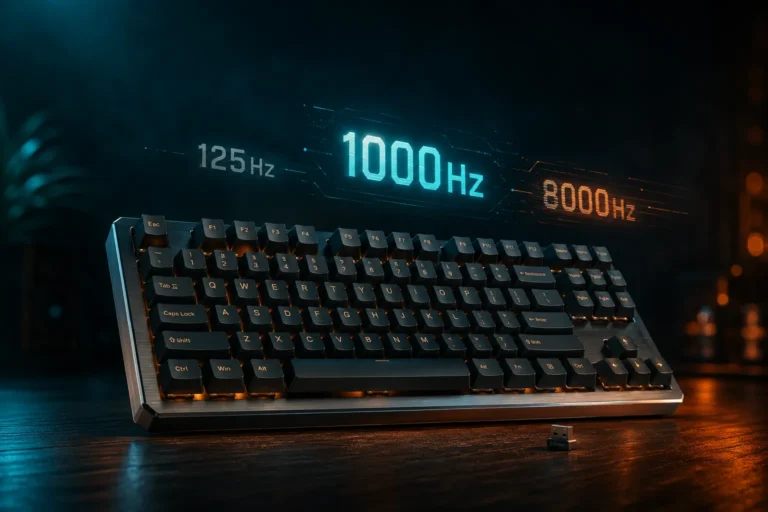
- Polling rates above 1000 Hz. Marketing flex. You won’t feel 8000 Hz in any practical sense unless you’re a competitive esports player at a level where this advice is beneath you.
- RGB lighting modes. They’re all the same five effects. If pretty lights sell you on a board, fine — just don’t pick a worse keyboard for them.
- Aluminum case at any cost. Plastic with good foam often sounds better than thin, hollow aluminum. Don’t pay extra for a metal case that wasn’t engineered around the typing feel.
If you’re newer to switches and still figuring out what you actually like, I went deep on switch types over here — worth ten minutes before you spend $150+ on a board.
The Final Verdict
Three good boards. Three different buyers.
- Pick the AULA F108 PRO if you want the best value full size wireless gaming keyboard, and you don’t want to compromise on hot-swap, PBT, or the screen-and-knob stuff. Easiest recommendation here for most people. Grab it on Amazon.
- Pick the ASUS ROG Strix Scope II 96 if you want a real gaming-brand build, top-tier 2.4GHz performance, and you can live with the 96% layout. It’s the premium pick, and it earns it. See pricing here.
- Pick the EPOMAKER TH108 V2 PRO if sound, gasket-mount feel, Mac compatibility, or massive battery life matter most. The enthusiast pick — and the best-feeling board on the list. Check it out here.
One more honest take before you go: a $150 board with a good switch and clean stab work will beat a $250 board with bad stabs every single time. Don’t get sold on a spec sheet. Get sold on how the thing actually feels under your hands.
Still weighing wireless against a wired setup, or want to see how these compare to a few smaller-form-factor options? I covered more of the broader lineup in this guide.
This article contains affiliate links. If you buy through them, I earn a small commission at no extra cost to you. I only recommend keyboards I’ve actually tested. As an Amazon Associate I earn from qualifying purchases.

I’ve torn down, lubed, and rebuilt several hundred keyboards — from $20 membranes to $800 enthusiast boards. I review them honestly, even when “honestly” means telling you to skip the one with the bigger marketing budget.