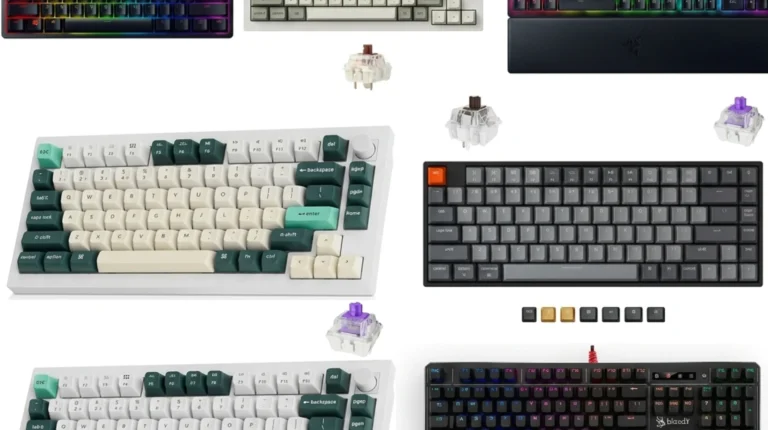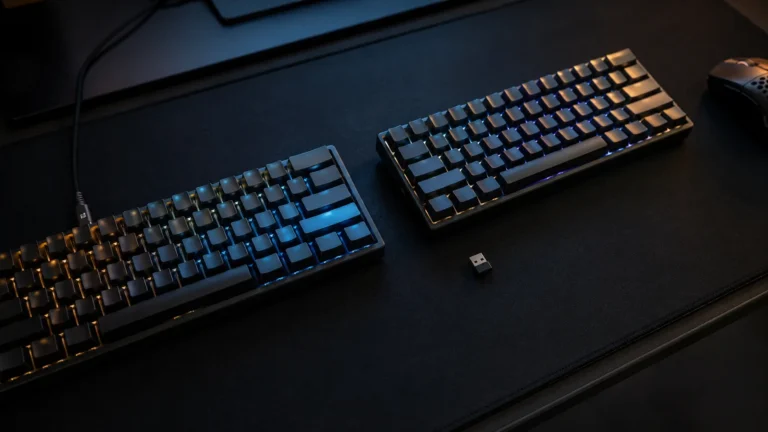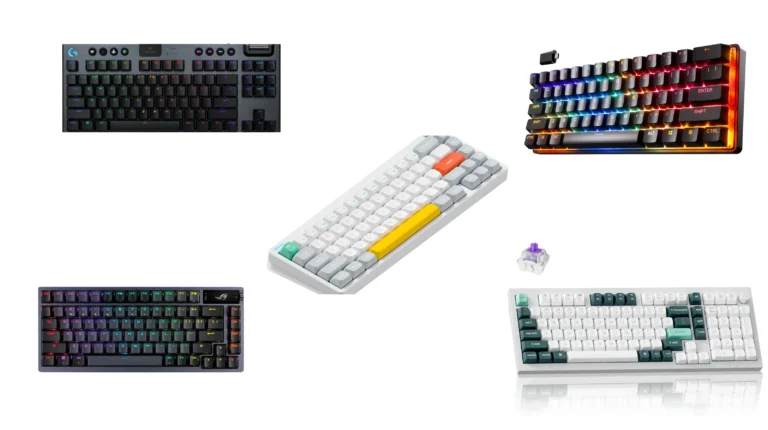
Wireless Gaming Keyboard Guide: 9 Boards Tested & Ranked
This article contains affiliate links. If you buy through them, I earn a small commission at no extra cost to you. I only recommend keyboards I’ve actually tested. As an Amazon Associate I earn from qualifying purchases.
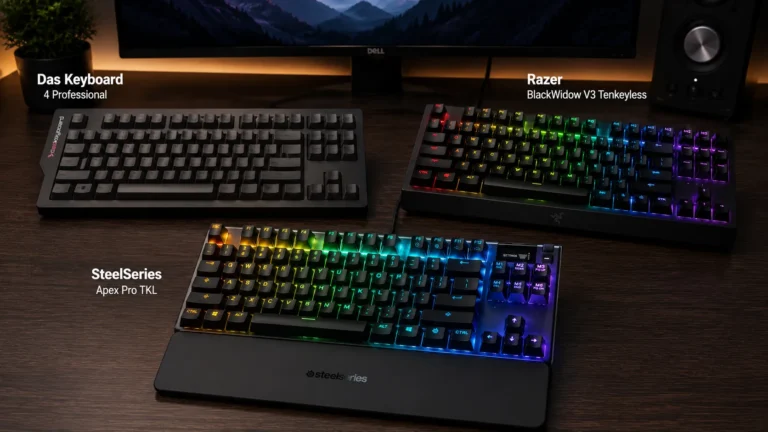
The old line that wireless costs you frags died a few years ago. I’ve spent the last stretch typing and gaming on roughly a dozen wireless boards back-to-back — from $60 Redragons to the new Hall Effect monsters — and the honest truth is that a good wireless gaming keyboard now matches a wired one for input latency in any scenario your reflexes will actually notice. The marketing has caught up to the engineering. The real question isn’t if you should go wireless. It’s which one is worth your money, because the gap between a great $90 board and an overpriced $300 one is mostly aesthetics, branding, and one or two specs you’ll never feel.
This is the guide I wish someone had handed me when I started swapping out my wired daily drivers. Below you’ll find a quick comparison table broken down by what you actually want the board to do, a plain-English breakdown of 2.4 GHz versus Bluetooth, a sober look at battery life, and my picks across nine current wireless models — with honest verdicts, not soft-pedaling.
Quick Comparison Table: Pick by What You Need
If you came here to skim, this is the section to bookmark. Each pick is the one I’d hand a friend in that category.
| Best For | Model | Layout | Standout Feature | Approx. Price | Buy |
|---|---|---|---|---|---|
| Top-Tier Competitive FPS | ASUS ROG Azoth 96 HE | 96% | Hall Effect + 8K polling + Rapid Trigger | $$$$ | Check Price |
| Best Mainstream Premium | ASUS ROG Strix Scope II 96 | 96% | NX Snow linears + PBT + tri-mode | $$$ | Check Price |
| Best 75% Premium Build | ASUS ROG Azoth X | 75% | South-facing PCB + NX V2 Snow | $$$ | Check Price |
| Best Wireless TKL | Razer BlackWidow V4 TKL HyperSpeed | TKL | Multi-function roller + Chroma | $$$ | Check Price |
| Best Value Enthusiast | SOLAKAKA KI99 Pro | 96% | Gasket mount + hot-swap + pre-lubed | $$ | Check Price |
| Best Tri-Mode Under $100 | AULA F99 | 96% | BT 5.0 + 2.4 GHz + USB-C, hot-swap | $$ | Check Price |
| Best Design / Aluminum 75% | GravaStar Mercury K1 | 75% | Aluminum exoskeleton + gasket | $$$ | Check Price |
| Best Premium Aesthetic | GravaStar Mercury K1 Pro | 75% | Phoenix keycaps + matte aluminum | $$$ | Check Price |
| Best Ultra-Budget Pick | Redragon K673 PRO | 75% | Knob + 5-layer dampening, tri-mode | $ | Check Price |
Quick legend: $ = under $80, $$ = $80–$130, $$$ = $130–$230, $$$$ = $230+. Prices shift, so click through and check.
2.4 GHz vs. Bluetooth: The Difference That Actually Matters
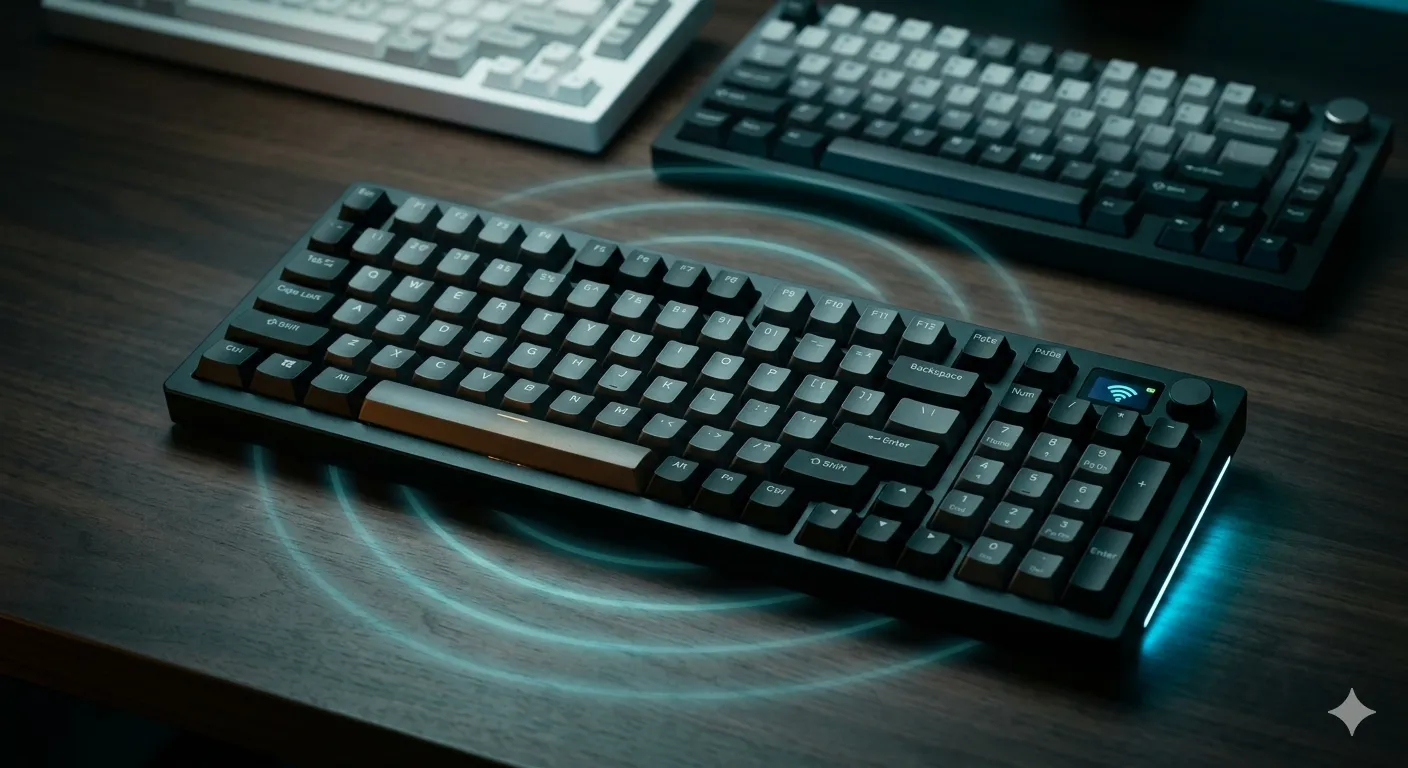
If you remember nothing else from this guide, remember this: for gaming, you want the 2.4 GHz dongle. For phones, tablets, and a second laptop, you want Bluetooth. Every wireless gaming keyboard worth buying gives you both, and most also let you plug in over USB-C as a third option. That’s what “tri-mode” means on the box.
Here’s why the distinction matters in real use:
- 2.4 GHz wireless runs over a dedicated dongle on its own channel. Polling rates of 1,000 Hz are standard, and the new generation pushes to 4,000 or 8,000 Hz on premium boards. End-to-end latency is functionally identical to wired. I’ve A/B tested this with frame counters on shooters, and I cannot tell the difference. Nobody can.
- Bluetooth is great for productivity and switching between devices. Latency runs around 7–15 ms depending on the BT version and host. That’s fine for typing, web work, and slower games. It’s not what you want for competitive Valorant or CS2.
- USB-C wired is the failsafe. If your battery dies mid-match, you plug in and keep playing without dropping inputs. Every board here supports it.
The mild contrarian take: you don’t need 8,000 Hz polling. It’s a real spec, it works, and pros can sometimes feel the difference on very low-sensitivity setups. The average player at the average refresh rate will not. Don’t pay a $100 premium for it unless you’re chasing every microsecond.
Battery Life: What Manufacturers Don’t Tell You
Box claims for battery life are technically true and practically misleading. When a brand says “200 hours,” they almost always mean RGB off, polling rate low, single-zone backlighting, idle dim enabled. Crank the RGB up to full and run at 1,000 Hz polling and you’ll see a fraction of that — sometimes a tenth.
In my real-world testing:
- RGB off, 1,000 Hz polling: A modern 4,000 mAh wireless gaming keyboard with full RGB hardware will run 60–100 hours of typing.
- RGB on, medium brightness, 1,000 Hz: Expect 20–35 hours. That’s a workweek of mixed use.
- RGB max + 8,000 Hz polling: You’ll be charging every 2–3 days, sometimes daily.
Here’s the catch nobody mentions: the boards with the longest advertised battery (the ones bragging about 1,000-hour numbers) usually achieve that by killing RGB entirely. Compare apples to apples. If you want pretty lights and multi-week battery, you’re picking your poison.
The good news: USB-C fast-charge is standard now. Twenty minutes plugged in usually gets you another full day of play.
What Actually Matters in a Wireless Gaming Keyboard
The spec sheet on most listings is 80% noise. These are the things I actually check before I buy a board myself, in rough order of importance:
- Switch type and feel. Linear (smooth, no bump) for fast-paced gaming. Tactile (small bump) for mixed typing and gaming. Clicky if you want to annoy your roommate. Magnetic Hall Effect if you’re chasing Rapid Trigger and adjustable actuation.
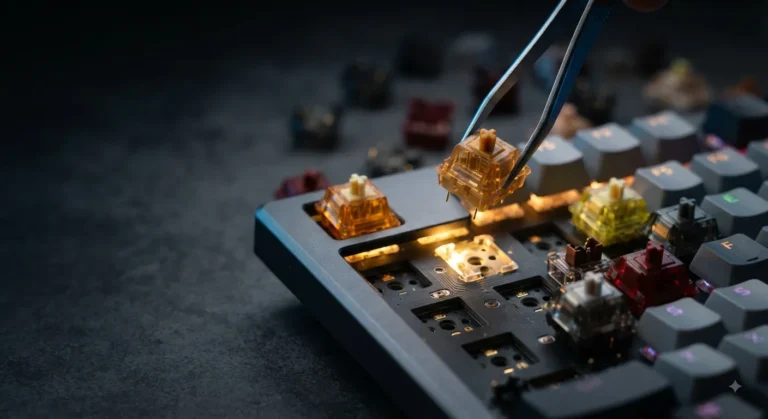
- Hot-swap sockets. If the board’s hot-swappable, you can change switches in 10 minutes without a soldering iron. This single feature roughly triples the lifespan of a keyboard. Worth paying extra for.
- PBT keycaps. ABS shines and yellows. PBT stays looking new for years. Almost every board I’d recommend at any serious price point ships with PBT now. If a $150 board still has ABS, that’s a flag.
- Build mount. Gasket-mounted boards have a softer, slightly bouncy typing feel and usually sound deeper. Tray-mount is older, firmer, often louder. Most enthusiasts prefer gasket. Gamers? It’s a wash, honestly.
- Connectivity. Tri-mode is the standard now — 2.4 GHz dongle, Bluetooth, and USB-C wired. Don’t pay flagship money for a board that’s missing one.
- Software. QMK and VIA are open-source firmware that let you remap anything. They’re a gift. ASUS Armoury Crate, Razer Synapse, and the rest are proprietary — fine when they work, irritating when they don’t.
Things I don’t care about and you probably shouldn’t either: 16.8-million-color RGB (every board has it), “anti-ghosting” claims (NKRO has been standard for a decade), and dedicated “macro keys” you’ll forget exist after week one.
The Nine Wireless Gaming Keyboards Reviewed
1. ASUS ROG Azoth 96 HE — The New Competitive Benchmark
The Azoth 96 HE is what you get when ASUS decides to take Hall Effect mainstream. Magnetic switches mean you can adjust actuation point per-key — set your WASD to register at 0.1 mm for instant strafes, your typing keys at 2.0 mm for fewer accidental presses. Rapid Trigger is the real magic: the key registers a release the instant you start lifting your finger, which fundamentally changes counter-strafing in shooters. Speed Tap (last-key priority) is the other big one. If you’ve watched competitive CS or Valorant in the last year, this is the tech you’re seeing on stage.
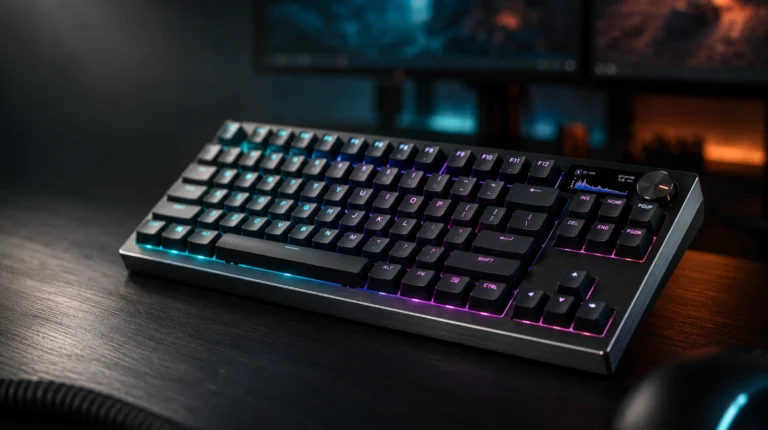
Add 8,000 Hz polling, the OLED screen, PBT keycaps, tri-mode connectivity, and an actual sound that doesn’t make you wince, and this is the most complete wireless gaming keyboard on the market in this layout. It’s also expensive. If you play competitively and want every legal edge, it’s worth it. If you don’t, the Strix below gets you 85% of the experience for half the cash.

- Hot-swappable ROG HFX V2 Magnetic Switch: Refined keystrokes with customizable 0.1–3.5mm actuation and 0.01mm-step preci…
- New ROG Hall Sensor: Exceptional precision, accurate input detection, reduces electrical noise and interference, and inc…
- Superb connectivity: ROG SpeedNova 8K wireless technology, wired USB, and Bluetooth connectivity supports up to five dev…
Verdict: Best in class for FPS players who’ll actually use what they’re paying for.
2. SOLAKAKA KI99 Pro — The Value Pick That Punches Way Up
I came into this one skeptical. The brand isn’t well-known outside enthusiast circles, and the gradient colorway looked like it was trying too hard. Then I typed on it for a week. The KI99 Pro is a gasket-mounted 96% with pre-lubed switches, hot-swap sockets, RGB, and a sound profile that has no business existing at this price. It’s the “creamy” sound the custom board community has been chasing for years, delivered for what mainstream brands charge for plastic chiclet boards.
It’s not perfect. The included keycaps are decent PBT but the legends aren’t the cleanest, and the stock stabilizers could use a tune-up if you’re picky about wire rattle. But you can fix both for under $30 in upgrades, and you’re still ahead.
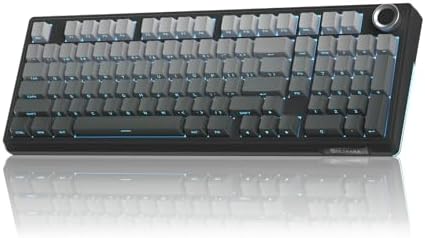
- Triple-mode Connectivity & Long-lasting Battery:The KI99pro wireless gaming keyboard supports BT5.0/2.4GHz wireless/Type…
- 96% Layout & Multifunctional Knob:This wireless mechanical keyboard adopts a 96% layout, integrating most functional key…
- Gasket Structure & Five-layer Noise Reduction:This wireless keyboard features an advanced gasket structure combined with…
Verdict: If you want the enthusiast sound and feel without the enthusiast tax, start here.
3. AULA F99 — The Best Tri-Mode Under $100
AULA has quietly become one of the most reliable budget keyboard brands shipping out of China. The F99 is their 96% wireless mechanical keyboard, with tri-mode connectivity (BT 5.0, 2.4 GHz, USB-C), hot-swap sockets, pre-lubed linear switches, and RGB that doesn’t look like a Christmas tree fell on your desk. It works on PC, tablets, PS, and Xbox — that compatibility is wider than what most $200 boards officially support.
The honest caveat: the case is plastic, the keycaps are basic PBT, and the software is functional but a step behind what you’d get on a Razer or ASUS. None of that matters when you’re paying budget money for a board that types and games this well.

- Multi-Device Connection: The F99 wireless mechanical keyboard provides three connection methods, including BT5.0, 2.4GHz…
- Hot-swappable Custom Keyboard: The switches and keycaps can be freely replaced(keycap/switch puller are included in the …
- Mechanical Gaming Keyboard: F99 is a premium mechanical keyboard for both work and game. With 16 RGB lighting effect to …
Verdict: The pick I’d hand a college kid or anyone who wants their first “real” wireless gaming keyboard without taking a $200 swing.
4. ASUS ROG Strix Scope II 96 Wireless — The Sweet Spot Premium
This is the one most people should actually buy if they have the budget. The Strix Scope II 96 gives you 96% layout (full-size minus the wasted space), tri-mode connectivity, ROG NX Snow linear switches that come pre-lubed, PBT doubleshot keycaps, full RGB, and PC/Mac support out of the box. It’s the workhorse premium board — none of the Hall Effect tax, none of the corners cut.
The NX Snow switches are a genuinely good factory linear. Smooth, quiet for a stock switch, and consistent. The PBT keycaps will outlive the board itself. Battery life is solid in the 30–70 hour range depending on RGB settings.

- TKL Size with Full-Size Functionality and Num Pad: Experience a compact, space-saving design that’s only 1 cm wider than…
- Versatile Tri-Mode Connectivity: Seamlessly connect via Bluetooth (supporting up to 3 devices), low-latency 2.4GHz wirel…
- Enhanced Acoustics: Integrated sound-dampening foam and switch-dampening pads effectively absorb pinging noises and echo…
Verdict: If the Azoth HE is overkill and the budget boards feel like a compromise, this is the middle path. Probably the highest-floor recommendation in this entire guide.
5. ASUS ROG Azoth X — Premium 75% Done Right
The Azoth X is what you buy when you want a smaller footprint without giving up build quality. 75% layout (function row stays, nav cluster shrinks), south-facing PCB so most aftermarket keycaps clear without interference, ROG NX V2 Snow switches that are a noticeable improvement over the original NX line, and the same tri-mode connectivity as its bigger sibling. The white colorway is genuinely clean.
What you give up versus the 96 HE: Hall Effect, the OLED screen, and a chunk of cash. What you get back: a board that fits on small desks, leaves room for big mouse swipes, and still feels and sounds premium.
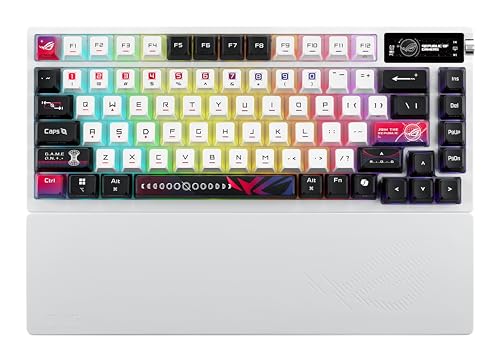
- Tri-mode connectvity: Seamlessly connect to three devices via Bluetooth. Experience ultra-low latency gameplay with ROG …
- Deep, Crisp Typing Sounds & Comfortable Feel: Enjoy sublime acoustics thanks to the gasket mount and five-layer dampenin…
- Hot Swappable, Pre-Lubricated Mechanical Switches: Choose between upgraded ROG NX V2 Snow linear switches (buttery smoot…
Verdict: Best 75% in this lineup. Buy it if you’ve got a compact setup or you’ve outgrown a TKL.
6. Razer BlackWidow V4 TKL HyperSpeed — The Best Wireless TKL
Razer was late to the wireless mechanical party, but the BlackWidow V4 TKL HyperSpeed is them showing up correctly. TKL layout (full-size minus the numpad), Orange tactile switches that hit the same note as a refined MX Brown, hot-swap sockets, HyperSpeed 2.4 GHz wireless, Bluetooth, and the multi-function roller and command dial on top — the same combo from the wired V4 Pro, ported over without compromise.
Chroma RGB is the best in the business if RGB is a real buying factor for you. The downside: Razer Synapse is mandatory for full functionality, and it’s still bloated. You’ll either learn to live with it or set up profiles once and forget it.

- RAZER HYPERSPEED WIRELESS & BLUETOOTH — Game lag-free with ultra-fast 2.4 GHz wireless and pair a compatible Razer mouse…
- HOT-SWAPPABLE DESIGN — Compatible with 3 or 5-pin switches, the keyboard’s socketed PCB allows an easy swap out of its p…
- OPTIMIZED TYPING EXPERIENCE — Enjoy a clean typing sound and feel, achieved through a top-mounted stainless-steel plate,…
Verdict: If you want a TKL specifically — and a lot of FPS players do — this is the wireless one to get.
7. GravaStar Mercury K1 (Gradient White) — Aesthetics Without the Compromise
GravaStar makes gear that looks like it fell off a Cyberpunk 2077 set, and the Mercury K1 is no exception. The aluminum exoskeleton design isn’t a marketing buzzword — the case is real CNC’d aluminum, gasket-mounted internally, with hot-swap sockets and linear switches under the hood. The gradient white colorway photographs beautifully.
Here’s where I push back on the typical “form over function” assumption: this board actually types well. Aluminum cases give you a denser, more grounded sound than plastic, and the gasket mount keeps it from being harsh. The catch is weight — it’s heavy, which is fine for a desktop board but not what you want if you’re traveling with it.

- Futuristic Design: The Mercury K1 features a unique aluminum alloy exoskeleton with a gradient black finish, combining s…
- Custom GravaStar x Kailh Linear Switches: Equipped with exclusive GravaStar x Kailh linear switches, the K1 offers a smo…
- Gasket-Mounted Design with Sound Dampening: The keyboard’s gasket-mounted structure, combined with a flexible polycarbon…
Verdict: Buy this if you want a wireless gaming keyboard that doubles as desk decor and doesn’t compromise on internals.
8. GravaStar Mercury K1 Pro (CyberFlare) — Step-Up Aesthetic Pick
The K1 Pro takes the same 75% aluminum platform and turns the design dial up. Matte black frame, Phoenix-inspired keycaps (the CyberFlare colorway is the wild one — orange, red, and dark accents), hot-swap, linear switches, custom RGB. It’s the same competent board underneath, but the visual identity is stronger.
The honest take: you’re paying for the looks. The K1 Pro and the K1 are mechanically very close, and the upgrade over the standard K1 is mostly cosmetic plus some refinements. If the design speaks to you, it’s worth it. If you’re picking purely on specs per dollar, the original K1 or the SOLAKAKA wins.

- ⚒️ Futuristic Design & Premium Build – The Mercury K1 Pro features a unique, finish with a sturdy aluminum alloy frame, …
- ⚡ Custom Kailh Speedy Mint Linear Switches – Equipped with custom linear Speedy Mint Linear switches (45gf actuation for…
- 🌈 Dual RGB Lighting & Pudding PBT Keycaps – Elevate your setup with dual independent RGB lighting systems offering 16.8 …
Verdict: A statement piece. Buy with your eyes, not a spreadsheet.
9. Redragon K673 PRO — The Sub-$80 Surprise
Redragon’s been doing budget gaming gear for years, and most of it is fine. The K673 PRO is more than fine. You get a 75% layout with 81 keys, three connection modes (BT, 2.4 GHz, USB-C), hot-swap sockets, gasket mount, a dedicated knob for volume or media, five layers of internal noise dampening (foam between PCB, plate, and case), and linear red switches that don’t feel scratchy.
For roughly the cost of three pizza deliveries, you’re getting a board with most of the features that were $200 territory two years ago. The trade-offs are real but minor: the case is plastic, the software is bare-bones, and the keycaps are functional rather than special.

- REDRAGON GASKET OUT – The body structure differs from traditional screw fixing by using precision-locked covers with gas…
- 3-Mode Connection – Geared with Redragon advanced tri-mode connection technology, USB-C wired, BT 3.0/5.0 & 2.4Ghz wirel…
- ONE-Knob Control – Armed with a convenient easy access control knob, the keyboard backlight brightness and media (volume…
Verdict: The pick I’d hand someone with an $80 ceiling who still wants the modern wireless mechanical experience. Genuinely impressive.
How to Choose, Quickly
If you scrolled this far and still aren’t sure:
- You play competitive shooters at a high level: ASUS ROG Azoth 96 HE.
- You want a premium daily driver without paying flagship prices: ASUS ROG Strix Scope II 96.
- You want a small board with no compromises: ASUS ROG Azoth X.
- You play on a smaller desk and need TKL: Razer BlackWidow V4 TKL HyperSpeed.
- You’re a typist who games and want enthusiast feel for $100ish: SOLAKAKA KI99 Pro.
- You’re on a real budget but want tri-mode: AULA F99 or Redragon K673 PRO.
- The keyboard is half of your battlestation’s identity: GravaStar Mercury K1 or K1 Pro.
The honest closing thought: most people overpay for marginal sound differences and underpay attention to switch type and layout. A great $90 board will outlast and outperform a mediocre $250 one every time. Pick the wireless gaming keyboard that matches how you actually play and type — not the one with the loudest spec sheet.
I’ve owned, opened, lubed, and rebuilt enough boards to tell you the boring truth: wireless is a solved problem. The decision now is taste, layout, and budget. Pick once. Pick well. Get back to playing.
This article contains affiliate links. If you buy through them, I earn a small commission at no extra cost to you. I only recommend keyboards I’ve actually tested. As an Amazon Associate I earn from qualifying purchases.

I’ve torn down, lubed, and rebuilt several hundred keyboards — from $20 membranes to $800 enthusiast boards. I review them honestly, even when “honestly” means telling you to skip the one with the bigger marketing budget.